
Home > Configuration Portal > Integration > Enable Integration with Fidelity
Enable Integration with Fidelity
Use the Fidelity integration to securely send employee data and benefit considerations from MyHR to Fidelity.
Follow the steps below to enable the integration with Fidelity:
-
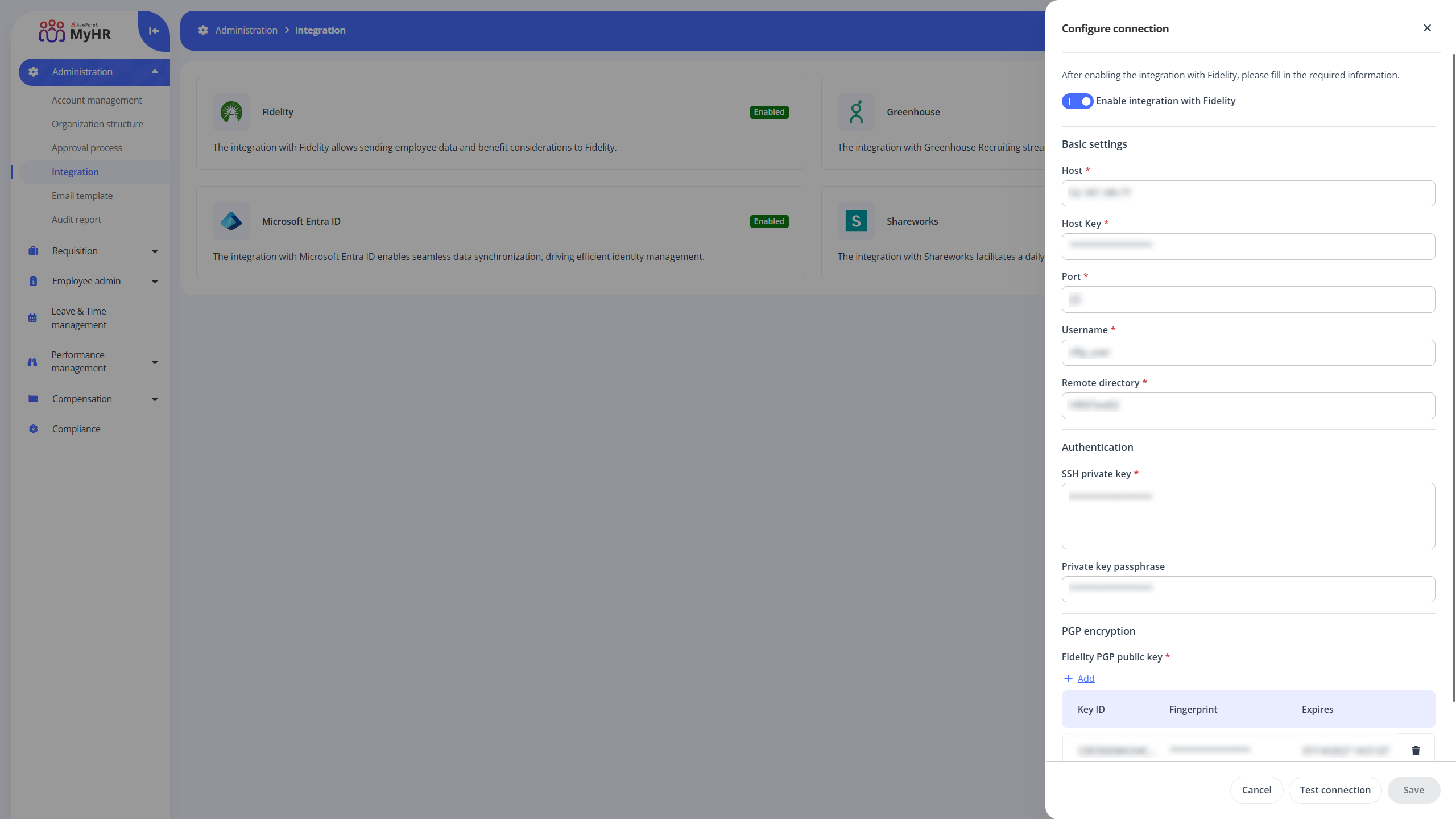
Navigate to Administration > Integration and click Fidelity.
-
In the Configure connection panel, turn on the Enable integration with Fidelity switch.
-
Complete the following required fields:
-
Basic settings - Enter the required host, host key, port, username, and remote directory.
-
Authentication - Enter SSH private key and private key passphrase.
-
PGP encryption - Click Add to add your Fidelity PGP public key.
-
-
Before saving, you can click Test connection to verify the connection with Fidelity.
-
Click Save to save your settings.