
Home > Configuration Portal > Compensation Management > Manage Compensation Statements > Create a Compensation Statement Profile
Create a Compensation Statement Profile
Follow the steps below to create a new compensation statement profile:
-
Navigate to Compensation > Statements.
-
Click Create on the command bar.
-
On the Create statement profile panel, complete the following settings:
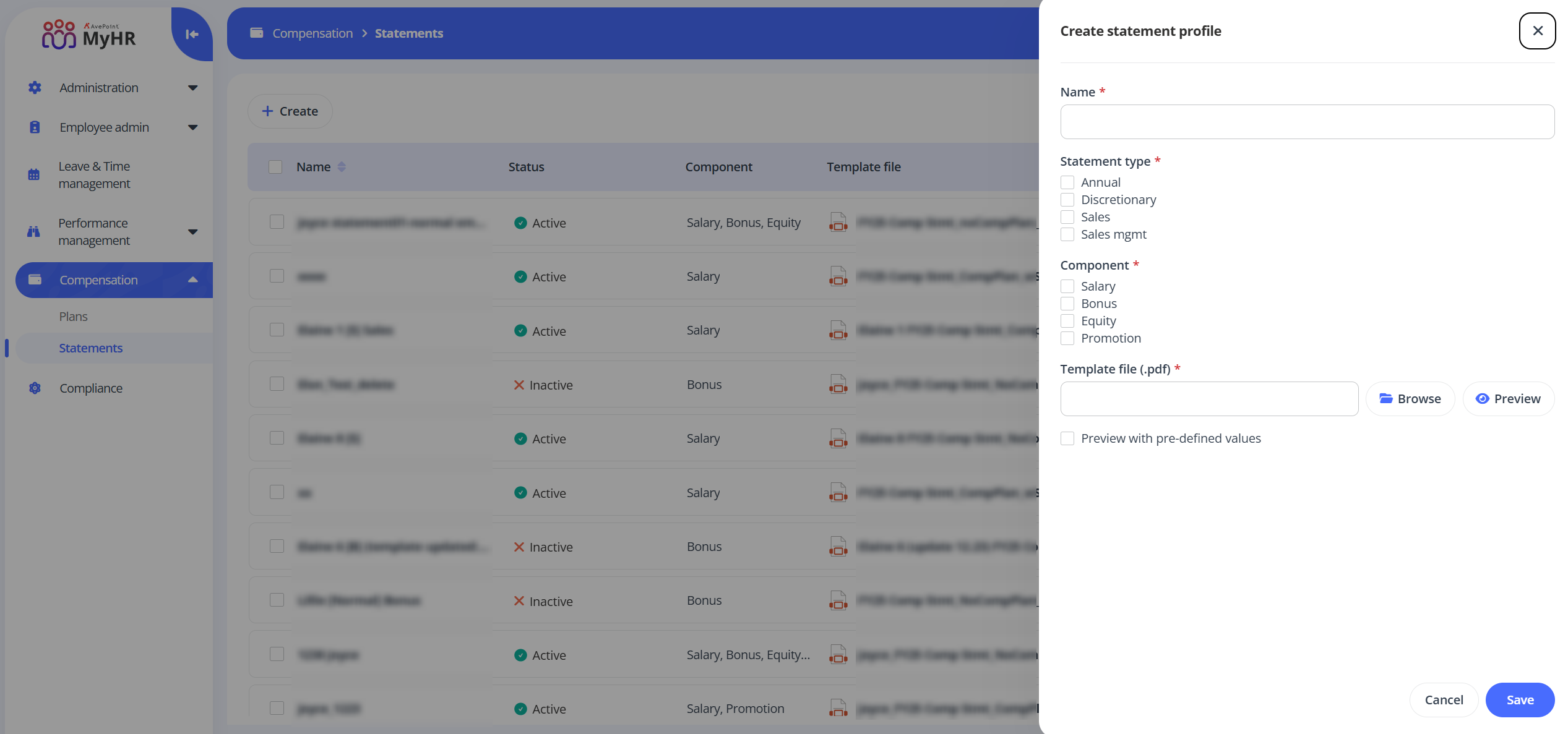
- Name - Enter a name for the statement profile you are creating.
- Statement type - Select one or more types for your profile.
- Component - Select one or more components for your profile.
- Template file - Click Browse to upload a statement template file. You can click Preview to preview the uploaded file.
-
Click Preview with pre-defined values to preview the statement with the current values.
-
Click Save to save the statement profile.
ON THIS PAGE